





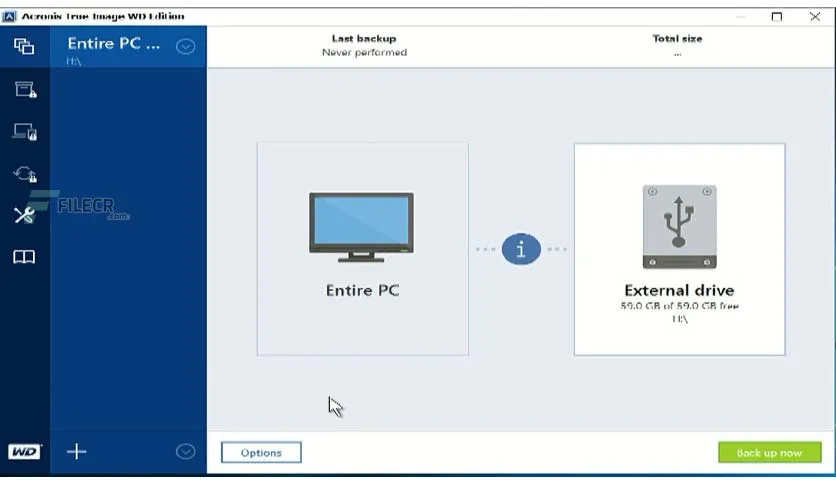
Free Download Acronis True Image Wd Edition 30.0.1.42752 full version offline installer. This program helps you clone Western Digital and SanDisk storage drives easily.
Acronis True Image Wd Edition 30.0.1.42752 Overview
Acronis True Image Wd Edition 30.0.1.42752 is a specialized backup and cloning utility built specifically for owners of Western Digital, SanDisk, and G-Technology drives. This software provides an accessible way to migrate data from an old storage device to a newly purchased SSD or HDD without reinstalling the operating system.
Targeted at users upgrading their internal PC or laptop storage, the application simplifies disk migration through an intuitive graphical interface. It bridges the gap between raw hardware upgrades and software preservation by moving every partition, file, and application setting securely.
Core strengths include sector-by-sector cloning, fast data transfer speeds, and reliable system recovery creation. By leveraging proprietary backup technology, the utility ensures that boot sectors and hidden partitions remain fully functional on the target destination drive.
Core Features of Acronis True Image Wd Edition
- Disk Cloning transfers entire operating systems, applications, and user settings directly to a new Western Digital or SanDisk drive.
- Active Partition Image backups capture system state data while Windows runs without requiring a reboot.
- Bootable Media Builder creates Linux-based or Windows PE rescue media on a USB flash drive for emergency disaster recovery.
- Add New Tool assists with initializing, partitioning, and formatting newly installed storage hardware in minutes.
- Security and Privacy tools permanently wipe sensitive data or shred individual files beyond recovery.
- Universal Restore prepares system backups to boot on dissimilar hardware configurations if motherboard replacements occur.
- Continuous Data Protection monitors specific folders for changes and saves incremental versions automatically.
System Requirements and Technical Details
- Operating System: Windows 10, Windows 11
- Processor: Intel Core 2 Duo or equivalent CPU
- RAM: 2 GB RAM minimum
- Disk Space: 1.5 GB free disk space for installation files
- Display: 1024x768 screen resolution with high color support
- Hardware Requirement: At least one connected Western Digital, SanDisk, or G-Technology storage device
- Internet: Active internet connection required for product activation and updates
Installation and Usage Guide
Obtain the setup file from the download button on this page and double-click the executable to launch the installer wizard. Accept the default configuration settings and click through the prompts until the installation process completes successfully.
Open the application from the desktop shortcut and select the Tools tab from the main menu. Click on Clone Disk, choose the automatic transfer mode, select your source drive and new Western Digital target drive, and click proceed to execute the cloning operation.
Verify software integrity by using only legally obtained copies of application binaries.
Mencari link download asli… menunggu 0 detik. Mohon tunggu, biasanya beberapa puluh detik.




