





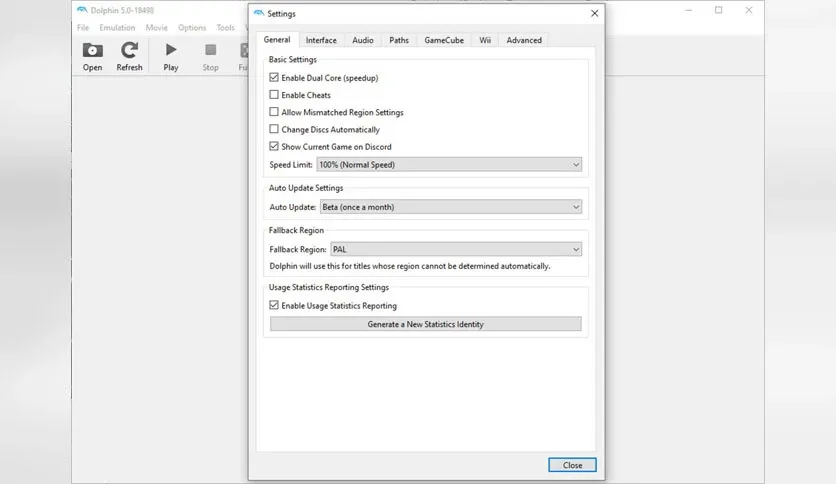
Free Download Dolphin Emulator Latest Version
Free Download Dolphin Emulator full version offline installer. This program helps you play Nintendo GameCube and Wii games on your Windows or macOS computer with enhanced graphics and performance.
Dolphin Emulator Overview
Dolphin Emulator is open-source software that runs GameCube and Wii titles on modern PCs. Originally released in 2003 and continuously improved, it delivers compatibility with thousands of games while adding upscaling, anti-aliasing, and custom texture support. The emulator appeals to retro gaming enthusiasts, speedrunners, and anyone wanting to preserve or replay classic Nintendo console games without original hardware.
The software supports both disc images and digital downloads from legitimate sources. Players can use keyboard controls, Xbox controllers, PlayStation controllers, or authentic GameCube adapters for original controller support. Dolphin runs games at higher resolutions than native hardware, often reaching 1080p or 4K depending on your GPU strength.
Development remains active with monthly updates that improve accuracy, fix bugs, and add features. The community maintains a compatibility database showing which titles work perfectly, which have minor glitches, and which require specific settings adjustments.
Key Features
- Full GameCube and Wii game compatibility with accurate emulation of CPU, GPU, and audio hardware
- HD rendering up to 4K resolution with anti-aliasing and anisotropic filtering options
- Save state functionality allowing instant save and load at any point during gameplay
- Netplay support for online multiplayer in games that originally supported local co-op
- Controller configuration supporting Xbox, PlayStation, Switch Pro controllers and GameCube adapter
- Custom texture packs and shader support for visual modifications
- Built-in action replay and gecko code support for game modifications
- Frame rate unlocking to play games above original 30 or 60 fps limits
System Requirements and Technical Details
- Operating System: Windows 10 64-bit, macOS 10.15 or later, Linux Ubuntu 20.04 or equivalent
- Processor: Intel Core i5-4670K or AMD Ryzen 3 1200 minimum, faster CPU recommended for demanding titles
- Memory: 4 GB RAM minimum, 8 GB recommended
- Graphics: DirectX 11.1 compatible GPU with 2 GB VRAM, NVIDIA GeForce GTX 660 or AMD Radeon HD 7850 or better
- Storage: 2 GB for emulator installation, additional space for game files varies by title
- Display: 1920x1080 resolution recommended for HD rendering benefits
- Internet: Required for initial download and optional netplay features
Installation and Setup Guide
Download the installer from the button on this page. Run the executable file and accept the default installation directory unless you prefer a custom location. The setup wizard completes in under two minutes on standard hardware. Launch Dolphin after installation finishes and configure your controller through the Controllers menu before loading any games.
Most setup issues stem from missing Visual C++ redistributables on Windows systems. The installer should handle these dependencies automatically, but if Dolphin fails to launch, download and install the latest Microsoft Visual C++ Redistributable packages manually. Graphics driver updates resolve most rendering glitches and performance problems. Check your GPU manufacturer website for current drivers before troubleshooting further.
Installing on additional machines follows the same process. Download the installer again or copy the installation folder directly if both computers run the same operating system. Configuration files and save data live in the user documents folder, so copying the Dolphin directory from Documents transfers your settings, controller profiles, and game saves between systems. Always use software and game files you legally own or have rights to access.
Mencari link download asli… menunggu 0 detik. Mohon tunggu, biasanya beberapa puluh detik.




