





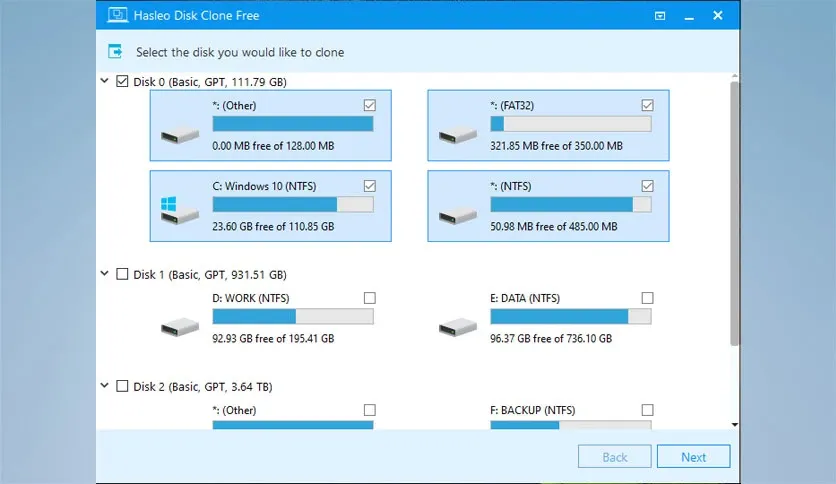
Free Download Hasleo Disk Clone full version offline installer. This program helps you migrate operating systems to new drives without reinstalling Windows.
Hasleo Disk Clone Free Download Latest Version
Hasleo Disk Clone is free Windows utility designed for disk partitioning, system migration, and drive cloning. Users facing HDD failure, upgrading to SSD, or creating raw backups use this application to move entire environments without data loss. Traditional cloning tools often demand expensive paid licenses or feature confusing interfaces, but this software offers a streamlined alternative.
System administrators, technicians, and everyday computer users rely on Hasleo Disk Clone for hardware upgrades. The engine handles partition resizing automatically during the transfer process to fit target drives of different capacities. Sector-by-sector cloning ensures exact replicas of source drives, capturing hidden partitions and boot sectors correctly.
Data safety remains paramount during storage maintenance. Hasleo Disk Clone prevents accidental overwrites by providing clear visual maps of connected storage media. The application executes clone operations directly inside Windows using Volume Shadow Copy Service to maintain active application states.
Core Features of Hasleo Disk Clone
- Disk Clone: Copy entire drives to larger or smaller storage devices without data loss.
- System Migration: Transfer Windows operating systems to SSDs or HDDs seamlessly, preserving all installed programs and user profiles.
- Partition Clone: Duplicate specific logical volumes or partitions to alternate locations.
- Layout Adjustment: Automatically or manually resize partition dimensions during the cloning workflow to match target disk space.
- Sector-by-Sector Mode: Copy every physical sector from source to target, including unused or hidden sectors, for forensic accuracy.
- SSD Optimization: Align partitions automatically during SSD migration to enhance read and write performance and extend drive lifespan.
- WinPE Bootable Media: Create emergency rescue USB drives to perform offline cloning when Windows fails to boot.
System Requirements and Technical Details
- Operating System: Windows 11, Windows 10, Windows 8.1, Windows 7, and Windows Server editions.
- Processor: 1 GHz x86 or 64-bit processor.
- RAM: 2 GB minimum installed memory.
- Disk Space: 500 MB free space required for installation files and temporary operational cache.
- Display: 1024x768 screen resolution with 16-bit color or higher.
- Internet: Connection required for software activation and update checks.
Installation and Migration Guide
Obtain the Hasleo Disk Clone installer package using the primary download link provided on this page. Launch the executable setup file with administrative privileges and follow the on-screen prompts to complete the installation with default settings.
Launch Hasleo Disk Clone from the desktop shortcut and select the system migration or disk clone module. Choose the source disk containing current data and designate the new SSD or HDD as the target destination.
Review the partition layout adjustments and click proceed to execute the cloning task. Monitor progress until completion, then shut down the computer to swap physical drives or adjust boot order in BIOS.
Always utilize legally obtained software versions to ensure system integrity and receive official security updates.
Mencari link download asli… menunggu 0 detik. Mohon tunggu, biasanya beberapa puluh detik.




