





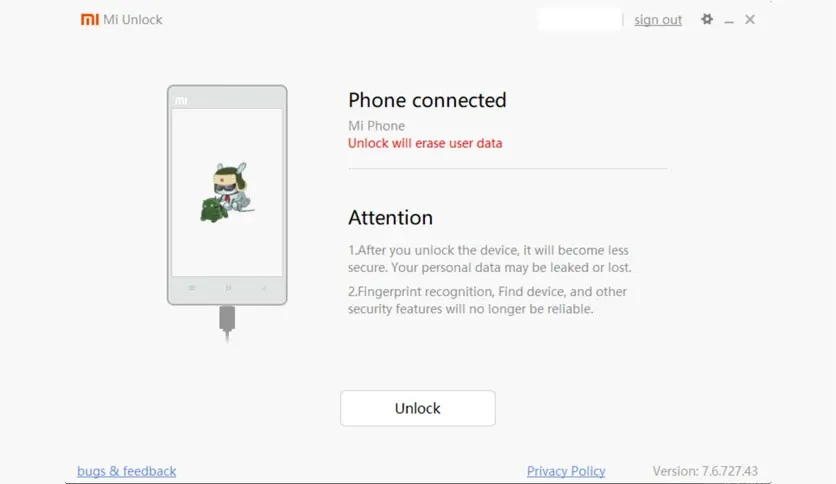
Free Download Mi Unlock full version offline installer. This program helps you remove bootloader locks from Xiaomi devices so you can install custom firmware and gain full system control.
Mi Unlock Overview
Mi Unlock is Xiaomi's official bootloader unlocking tool for Android smartphones and tablets. Bootloader acts as security gate that prevents unauthorized system modifications. Once unlocked through this utility, users can flash custom ROMs, install recovery environments like TWRP, and root their devices.
Tool designed for power users, developers, and enthusiasts who need complete device access. Primary use cases include custom ROM installation, kernel modification, and system-level debugging. Xiaomi requires account verification and waiting period before unlock approval, ensuring device legitimacy.
Software simplifies complex unlocking process into guided workflow. Traditional method involved manual fastboot commands and driver configuration. Mi Unlock automates driver installation, device recognition, and bootloader unlock request submission to Xiaomi servers.
Main Features and Capabilities
- Official bootloader unlock for Xiaomi and Redmi phone models through verified Xiaomi account authentication
- Automatic device detection when connected in fastboot mode with USB cable
- Built-in USB driver installation that configures Windows to recognize Xiaomi devices properly
- Server-side unlock permission verification that checks device eligibility and account waiting period status
- One-click unlock execution after approval with automatic bootloader flag modification
- Support for current MIUI versions running on Snapdragon and MediaTek chipsets
- Progress tracking interface showing each unlock stage from connection through completion
- Unlock status verification that confirms successful bootloader state change
System Requirements and Technical Details
- Operating System: Windows 7, Windows 8, Windows 10, Windows 11 (64-bit)
- Processor: Intel or AMD dual-core 1.5 GHz
- Memory: 2 GB RAM
- Storage: 150 MB available disk space
- Display: 1024x768 screen resolution
- Internet: Active connection required for server verification
- Additional: Xiaomi account registered minimum 7 days, device battery above 50 percent, USB debugging enabled on phone
Installation and Usage Guide
Download the setup package using the download button on this page. Run the installer executable with administrator privileges by right-clicking and selecting "Run as administrator". Follow the installation wizard screens, keeping default directory and component selections. Installer automatically configures USB drivers needed for device communication.
Launch Mi Unlock after installation completes. Log in with Xiaomi account credentials linked to your device. Power off phone, then boot into fastboot mode by holding volume down and power buttons simultaneously until fastboot screen appears. Connect device to computer via USB cable. Application will detect connected device and display model information.
Click unlock button to begin process. Tool sends request to Xiaomi servers for approval. If waiting period not completed, error message shows remaining days. Once approved, unlock proceeds automatically and device reboots with unlocked bootloader. Warning message appears on every boot indicating unlocked status.
Most common issue involves USB driver conflicts with previous Android tools. If device not detected, open Device Manager, uninstall existing Android ADB drivers under Portable Devices section, then disconnect and reconnect phone. Mi Unlock reinstalls correct drivers automatically. Another frequent problem occurs when fastboot mode fails to activate. Hold both buttons for full 10 seconds until vibration and fastboot logo confirm proper mode entry.
To unlock additional devices, repeat same procedure on target computer with Mi Unlock installed. Each device requires individual waiting period and account verification. Same Xiaomi account can unlock multiple devices but must meet time requirements for each one separately.
Use software only with devices you own legally and understand that bootloader unlocking voids manufacturer warranty on most Xiaomi products.
Mencari link download asli… menunggu 0 detik. Mohon tunggu, biasanya beberapa puluh detik.





