





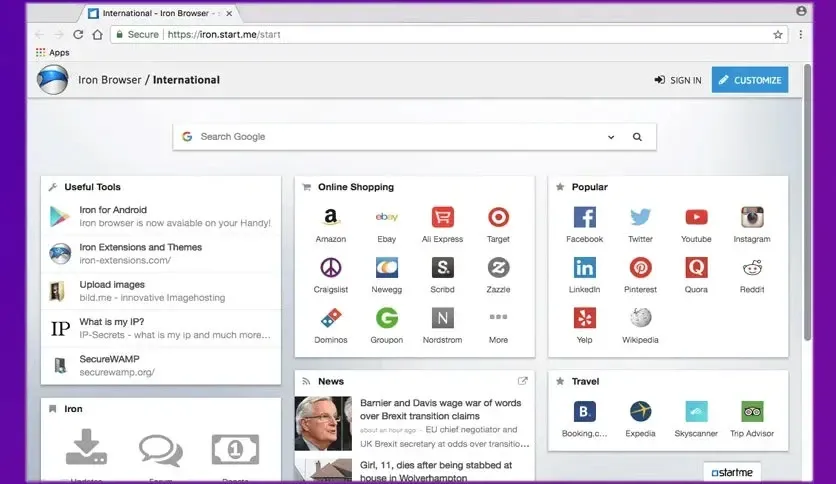
Free Download Srware Iron Browser full version offline installer. This program helps you browse internet securely without background telemetry reporting.
Srware Iron Browser Download Latest Version Overview
Srware Iron Browser is a privacy-focused web browser built on the Chromium source code. Developers created this application to remove usage tracking, unique user identifiers, and error reporting mechanisms present in standard Google Chrome builds. Privacy advocates and security-conscious users rely on Srware Iron Browser to maintain strict data control while retaining modern web engine compatibility.
The software delivers identical rendering performance and extension support to mainstream Chromium browsers. Users experience standard web speeds and layout accuracy across complex sites. Under the hood, background telemetry collection functions are stripped away during compilation. This prevents browsing habits, keystrokes, and crash reports from transmitting to corporate servers.
Customization remains familiar because the user interface mirrors standard Chromium layouts. Standard bookmark managers, developer tools, and settings menus operate natively. Users install existing web extensions directly from official repositories without modification. Srware Iron Browser bridges the gap between privacy-first software and modern web standards.
Key Features of Srware Iron Browser
- Removes unique installation identification numbers generated during setup.
- Disables RLZ tracking which transmits search query data to external servers.
- Strips built-in error reporting systems that send crash dumps automatically.
- Eliminates alternate error pages that route failed domain lookups through third parties.
- Supports standard browser extensions, themes, and developer tools natively.
- Maintains fast page load speeds using the Blink rendering engine.
- Provides portable archive options for running directly from external storage drives.
- Retains compatibility with modern web standards, HTML5 applications, and JavaScript frameworks.
System Requirements and Technical Details
- Operating System: Windows 7, 8, 10, 11 (32-bit and 64-bit editions)
- Processor: Intel Core 2 Duo or AMD Athlon 64 processor (1 GHz or faster)
- RAM: 2 GB RAM minimum required for stable multi-process tab management
- Hard Disk Space: 500 MB available free disk space for profile data and cache
- Display: 1024x768 screen resolution with hardware acceleration support
- Internet: Broadband connection required for web browsing and automatic updates
Installation and Usage Guide
Obtain the offline setup file for Srware Iron Browser using the download link provided on this page. Close running web browsers to prevent file locking conflicts during setup.
Launch the downloaded executable file to start the installation wizard. Accept the default directory settings and complete the prompt sequence to finish the installation.
Open Srware Iron Browser from the desktop shortcut or start menu. Configure initial privacy preferences, import bookmarks from previous browsers, and begin browsing the web without telemetry tracking.
Mencari link download asli… menunggu 0 detik. Mohon tunggu, biasanya beberapa puluh detik.





